GST Reconciliation for CA Firms: How to Manage 50+ Clients Without Excel
Managing GST reconciliation for 50+ clients in Excel is a nightmare for CA firms. Learn the right workflow, automation strategies, and how to reduce 2 weeks of work to 2 hours.
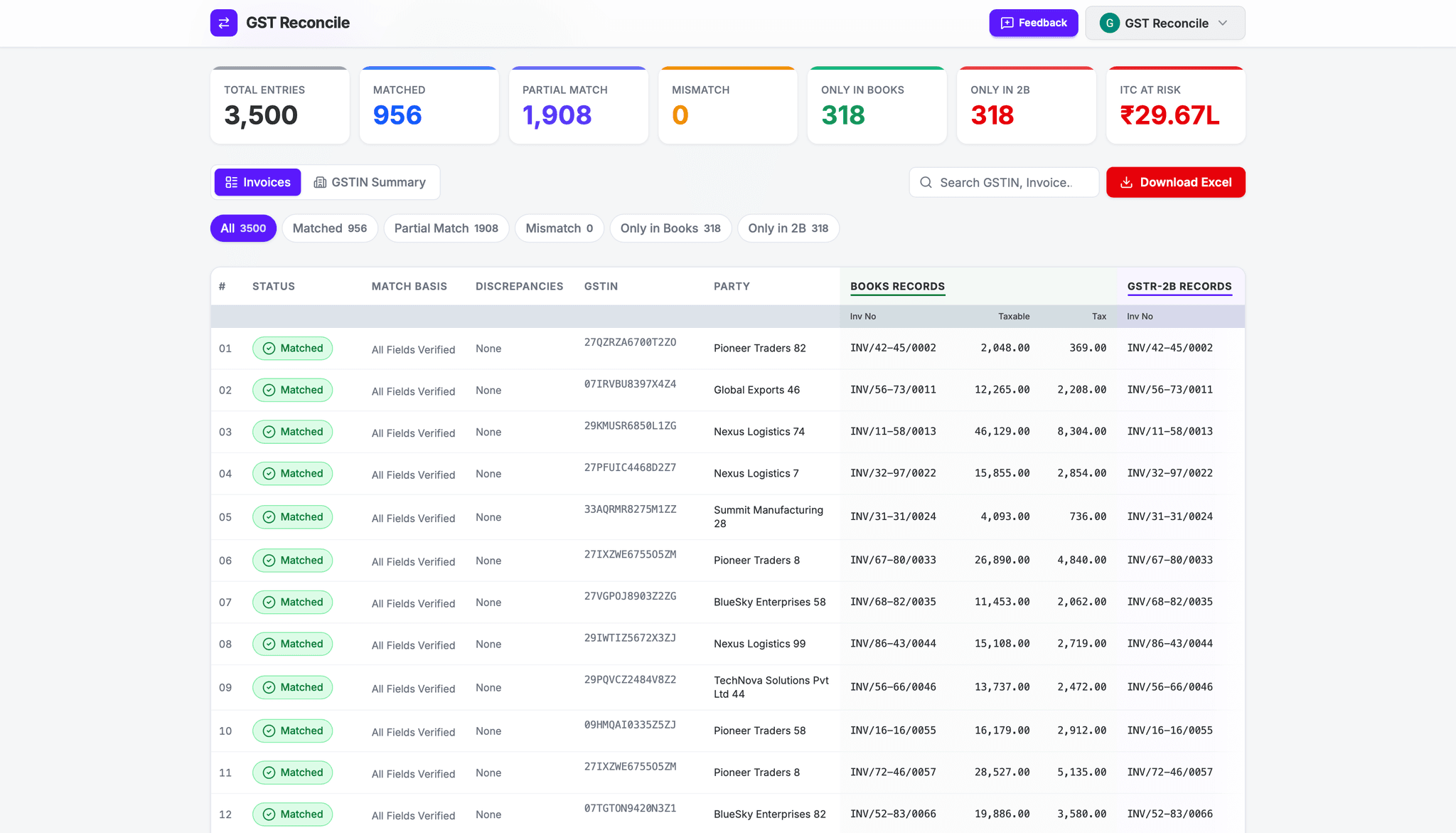
Reconciling GSTR-2B for a single business is tedious. Reconciling it for 50 to 100 clients every single month is pure chaos. For Indian CA firms and tax professionals, the 20th of the month brings endless late nights, frantic Excel tracking, and the constant fear of a matching error.
The root cause of this chaos is almost always over-reliance on manual Excel workflows. While Excel is a powerful tool, it breaks down at scale.
In this guide, we will look at how modern CA firms are ditching manual VLOOKUPs to manage multiple clients flawlessly — and how to reduce 2 weeks of work to 2 hours.

The Multi-Client Scale Problem
If you have 50 clients, you are handling 50 Purchase Registers and 50 GSTR-2B files. That is 100 distinct data sources every month.
The math: Even at 2 hours per client, that equals 100 man-hours — 2.5 weeks of work for a single employee, just for reconciliation. This limits how many clients your firm can take on and directly hurts your profit margins.
Common Excel Mistakes in Multi-Client Environments
When juggling dozens of workbooks, human error is inevitable. Here are the most common ways Excel fails CA firms during GST season:
Accidentally pasting Client A's GSTR-2B into Client B's reconciliation template — a mistake that isn't noticed until a mismatch report goes out.
Changing a column order in the raw data instantly breaks the formulas you set up last month — requiring 30 minutes of debugging per file.
Missing exact matches because of a ₹0.50 difference across thousands of rows. Excel's VLOOKUP demands exact matches.
Files named ClientA_Recon_Final_V3_FINAL.xlsx with no clarity on which version was sent to the client.
The Right Workflow for CA Firms
To scale your practice, move from ad-hoc Excel sheets to a structured, repeatable workflow. Three rules:
- Strict naming conventions. Use a format like
ClientName_Month_Year_DocumentType.xlsxfor every raw file. - Isolated environments. Never use a single master workbook with 50 tabs. Create dedicated, secure folders for each client on your firm's cloud drive.
- Replace execution with automation. The matching step should be done by software, not junior accountants.
Reducing 2 Weeks to 2 Hours
The manual part of reconciliation is essentially pattern matching. A computer can do this infinitely faster and more accurately than an accountant.
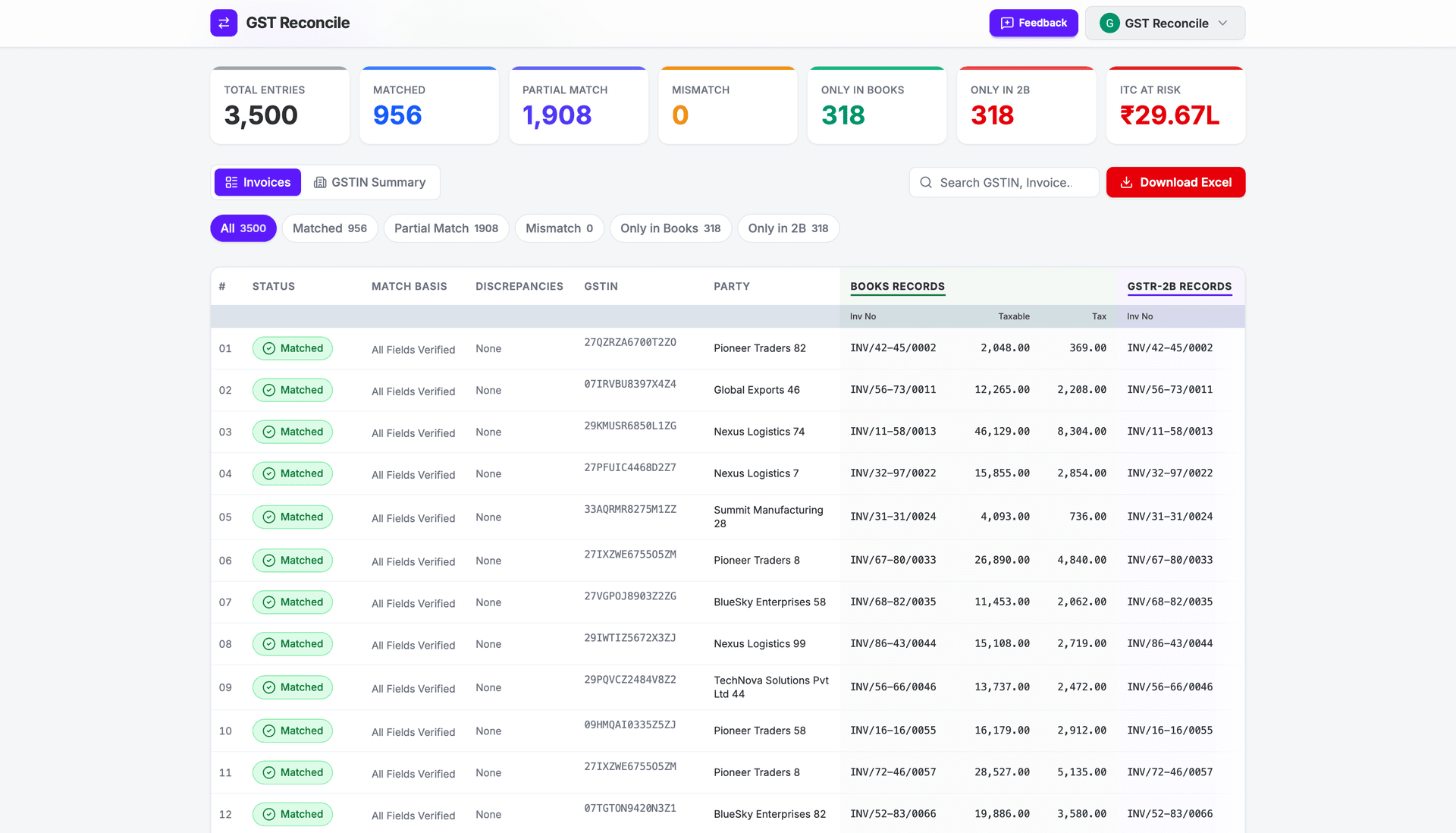
By adopting a dedicated GST reconciliation tool, your team simply drops the raw ERP export and the GSTR-2B JSON/Excel into the tool. The software instantly standardizes the columns, applies fuzzy matching logic for invoice numbers, and applies tolerance thresholds for rounding errors — then produces a finished report.
The result: What took 2 hours per client now takes 2 minutes — regardless of invoice volume. 50 clients × 2 minutes = under 2 hours total.
What to Look for in a CA-Focused Tool
Not all tools are built for tax professionals. When selecting software for your firm, ensure it has:
Your 50 clients probably use 10 different accounting systems — Tally, Zoho, Busy, custom ERPs. The tool must accept raw exports from all of them without demanding a specific template.
As a CA, you handle highly sensitive financial data. The tool must process files locally in your browser — no client data should ever touch a third-party server.
You need to send the final mismatch report to clients for action. The tool must generate clean, color-coded Excel summaries they can act on immediately.
Frequently Asked Questions
Do my clients need to use the same accounting software?
No. A good automated reconciliation tool will intelligently map columns from any ERP system automatically, meaning your clients can use whatever software they prefer.
Is it safe to upload client data to online tools?
Look for tools that process data entirely in your local browser so that your client's financial data never leaves your computer or gets saved to an external database. GST Reconcile does exactly this.
How much time should reconciliation take per client?
With automation, standardizing data, running the matching algorithm, and exporting results should take less than 2 minutes per client, regardless of invoice volume.
Scale Your Practice Today
Your accountants' time is too valuable to be spent doing VLOOKUPs. Shift them to high-value advisory work by automating the grunt work. Every client you can onboard in the time saved is direct revenue growth for your firm.
Reconcile Your GSTR-2B Free
No VLOOKUP gymnastics. No data stored on external servers.
Works with Tally, Busy & ClearTax. Up to 99.99% accurate.
No signup required · ₹450+ Cr ITC Saved · 12.5M+ Invoices Matched